These screens keep you up-to-date with what's happening in EasyVend:
Tips are helpful hints on how to accomplish things in EasyVend, or information you may not otherwise know about.
Posts let you know what's new in EasyVend and give explanations of new features.
Viewing Tips and Posts
- If there are new tips or posts, you will be notified via the red notification bubble next to the Help on the right of the menu bar.
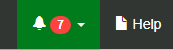
- To view the new tips/posts:
- Click on the notification icon to open the list of new tips and/or posts
- If there is a new tip, click on it to open the Tips screen
- If there is a new post, click on it to open the Posts screen
- Once they have been viewed, these screens can be accessed again by selecting Tips or Posts from the Account menu.
- When reading tips or posts, use the page navigation at the bottom of the screen to move through the pages.
- If a tip or post is long, click on "Read More ..." to expand the box and read the entire entry.